How to manage your subdomains in Site Tools?
A subdomain is an extension of a main domain that helps organize website sections, such as blogs, stores, or support pages. It appears before the main domain in a URL and functions as a separate entity while remaining connected to the primary domain.
How to Create and Manage a New Subdomain in Site Tools – Video Guide
You can watch this quick video tutorial on how to create a new subdomain or you can jump straight to the detailed steps below
How to add a subdomain?
To create a subdomain:
- Go to Site Tools > Domain > Subdomains.
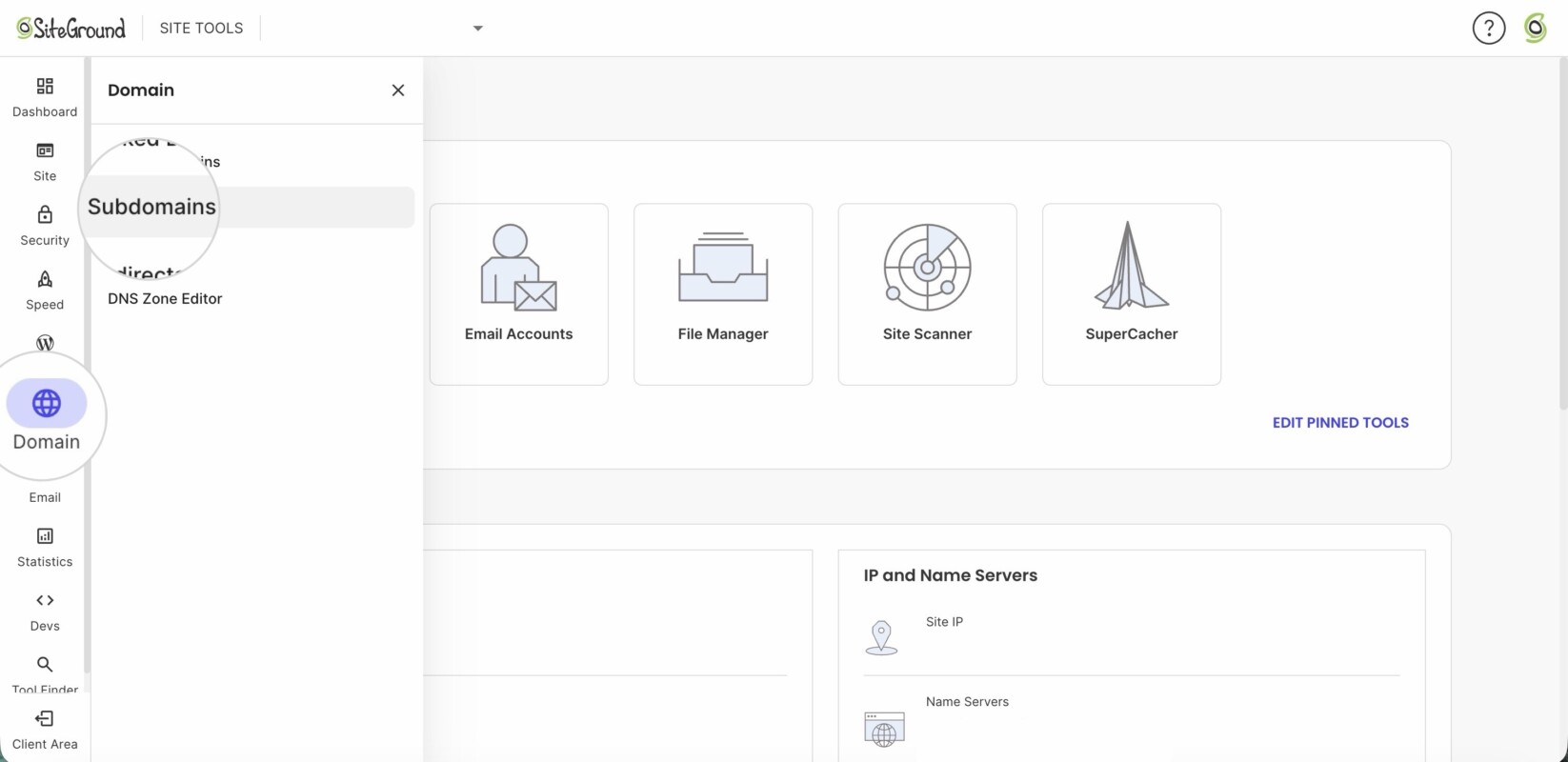
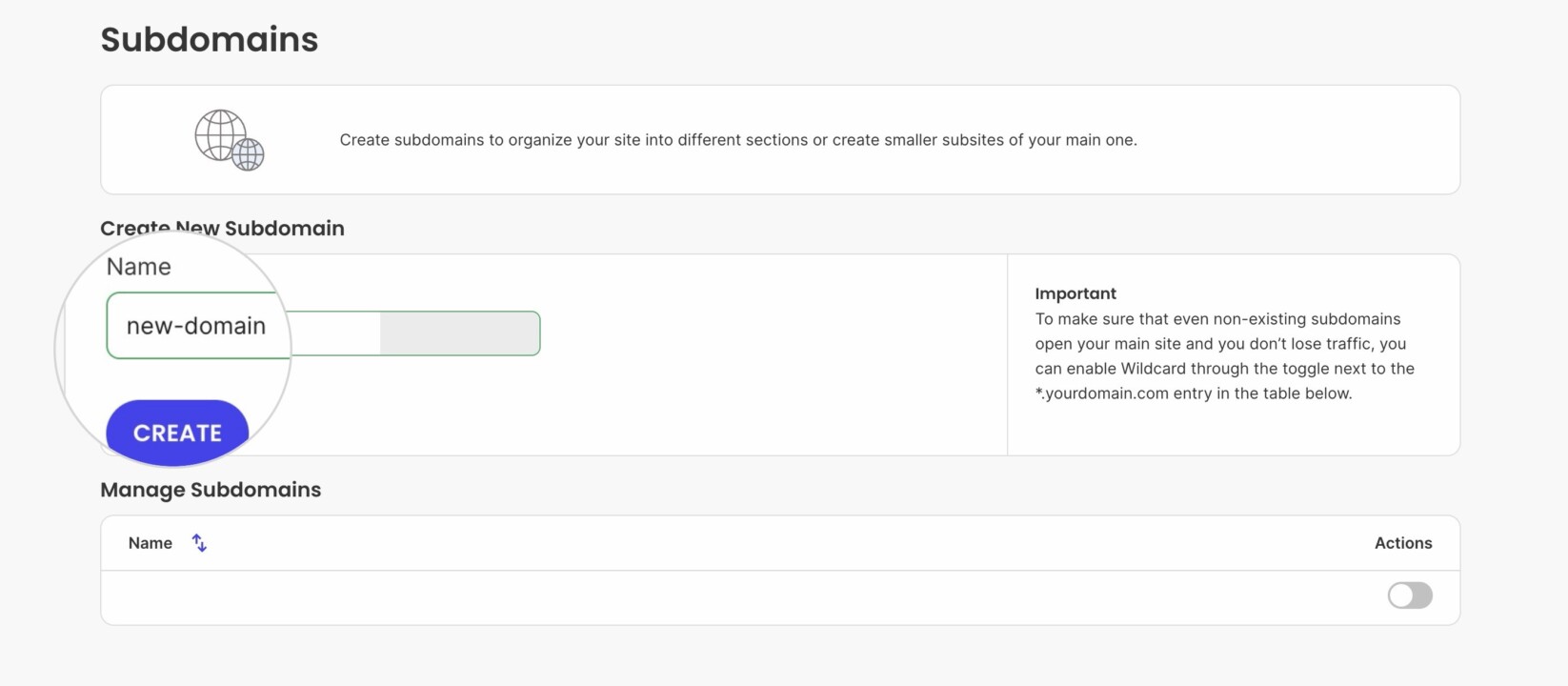
- Type in the subdomain prefix under the field Name and click Create.
How to delete a subdomain?
This happens in a few easy steps.
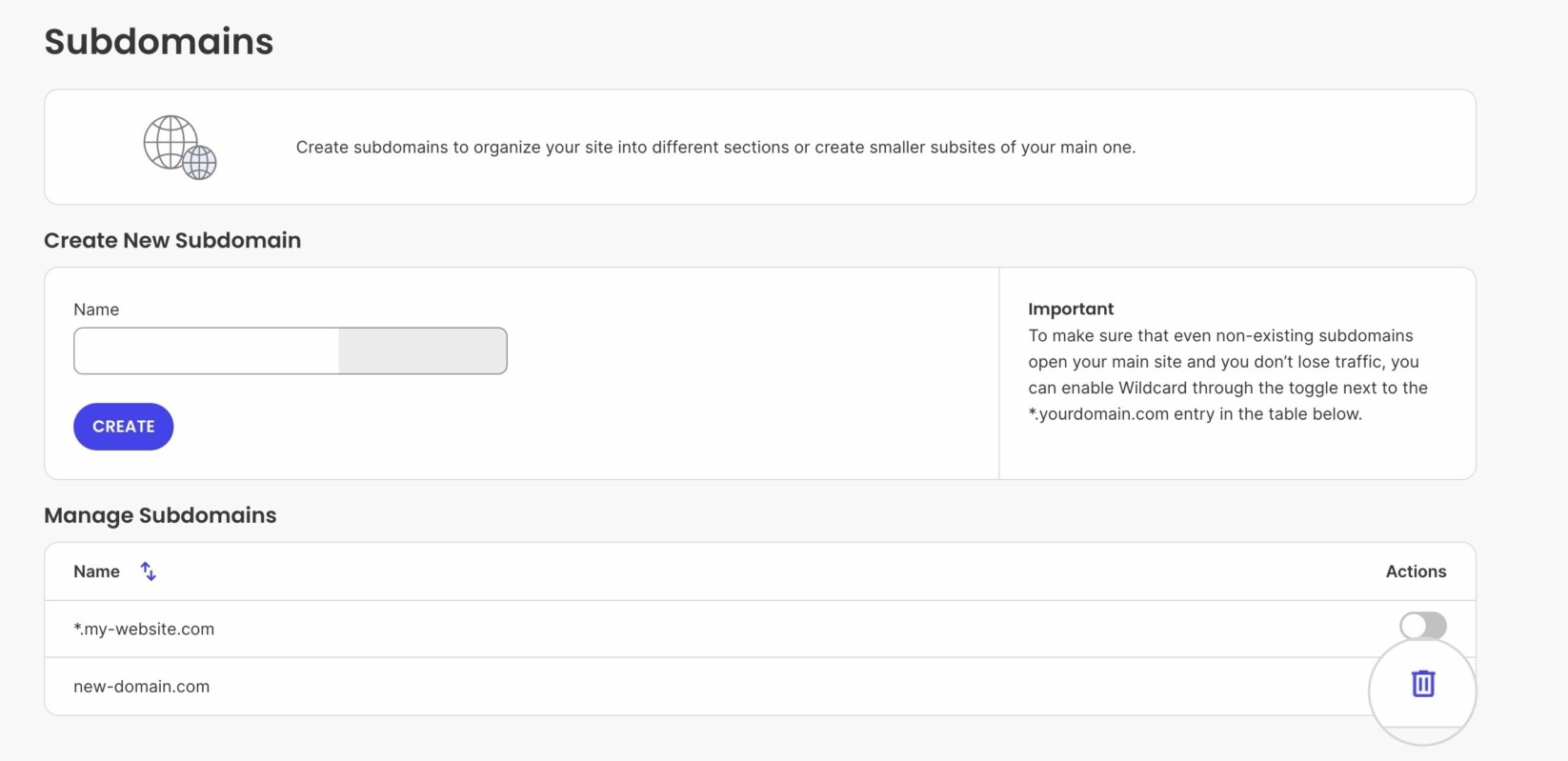
- Go to Site Tools > Domain > Subdomains.
- To delete a subdomain, click on the trash bin icon next to the desired domain name.
How to enable a Wildcard Subdomain for your domain?
Wildcard subdomains are useful when you wish to redirect all visitors to your website regardless of what subdomain they access your website through. This is also useful when someone mistypes www for example and writes ww.yourdomain.com.
In other words, with wildcard subdomains, it won’t matter whether someone accesses your site through ww.yourdomain.com or wwwwww.yourdomain.com.
Wildcard subdomains are also handy when configuring subdomain multisite applications such as WordPress.
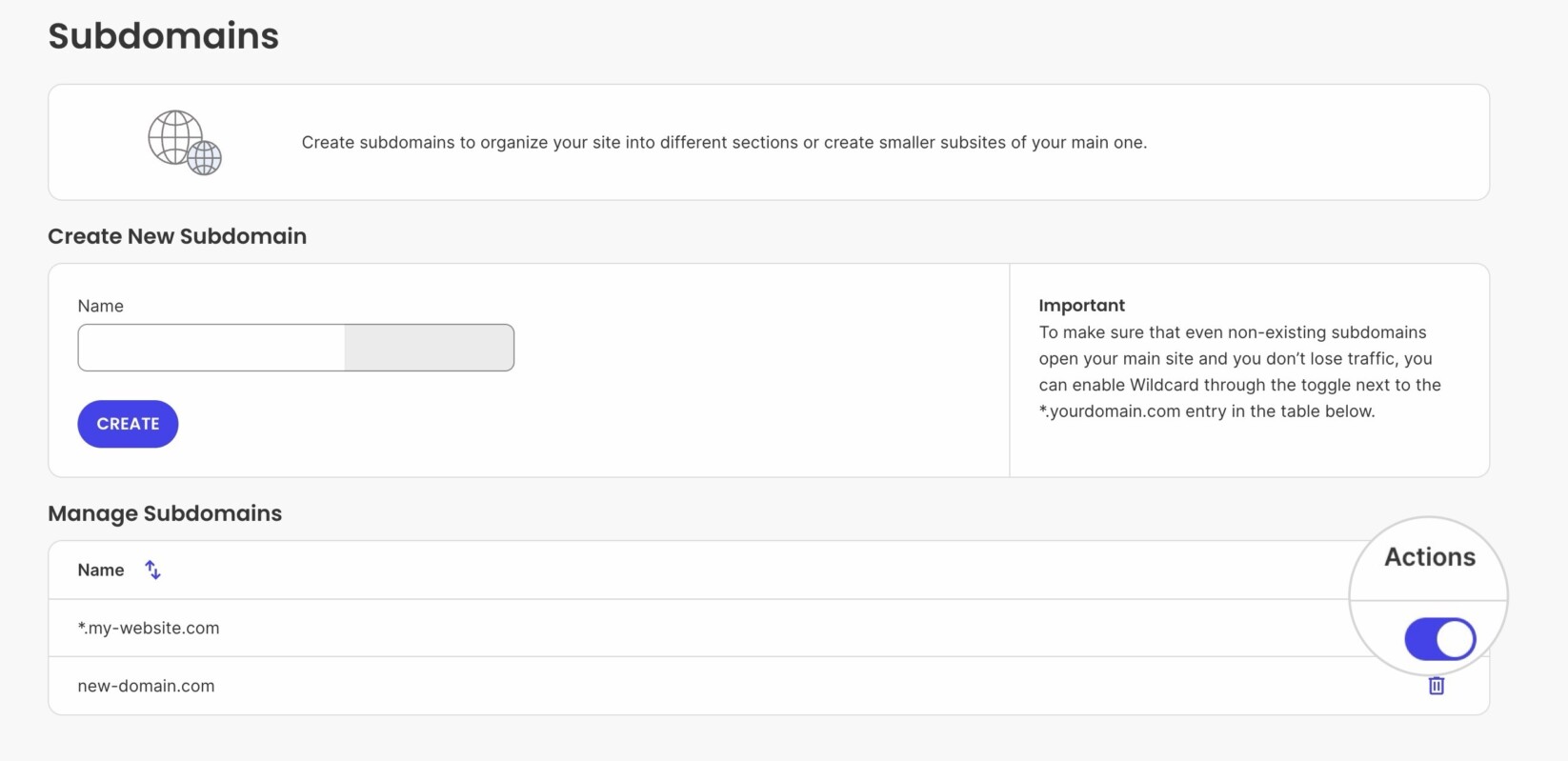
- To enable wildcard subdomains *.yourdomain.com, go to your Site Tools > Domain > Subdomains.
- By default, it is created and you could enable it by turning the slider next to *.yourdomain.com.
How to add SSL to my subdomains?
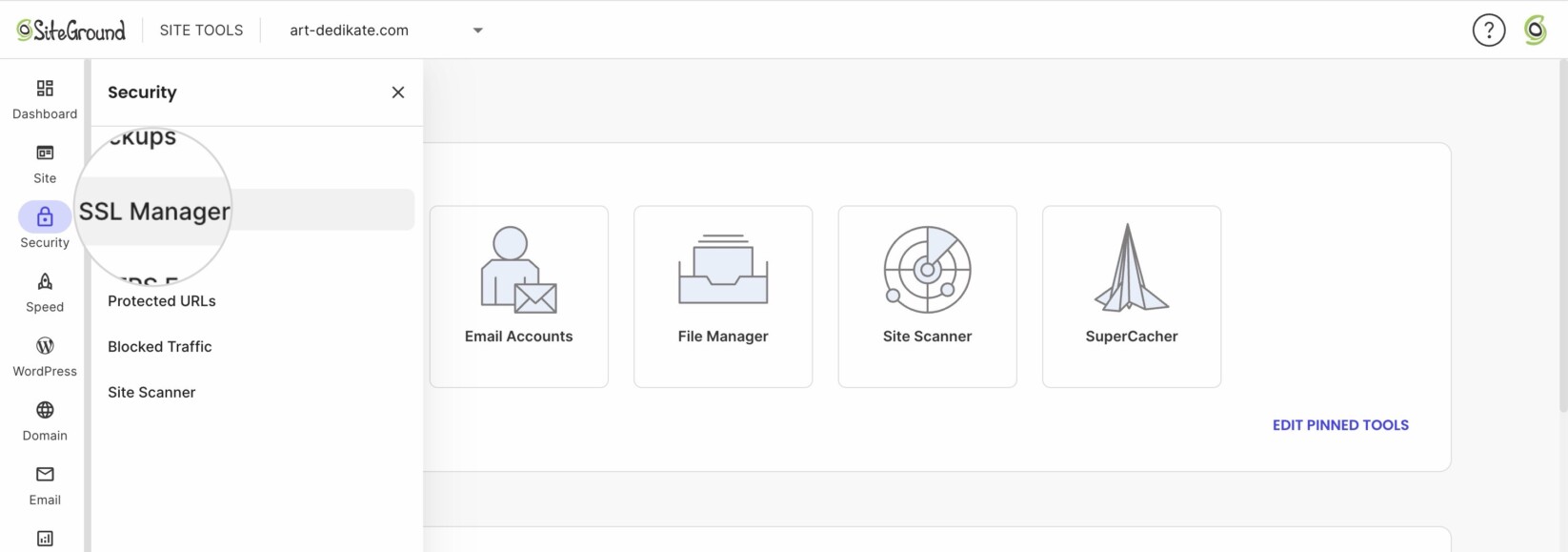
- Go to Site Tools > Security > SSL Manager.
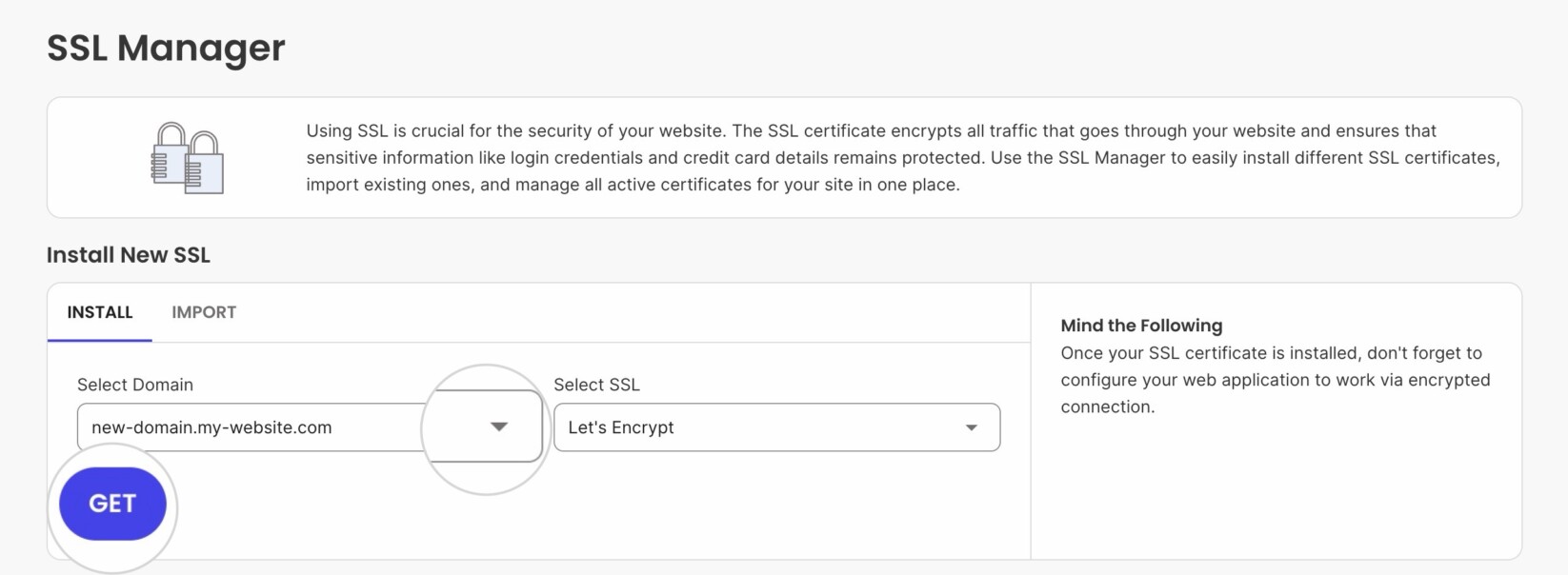
- Select the subdomain from the Select Domain dropdown and choose the desired type of SSL.
- Click GET.
How to create a site on a subdomain?
After the subdomain is created, you can install a website installation for it. To create a new site on that subdomain, you have two options.
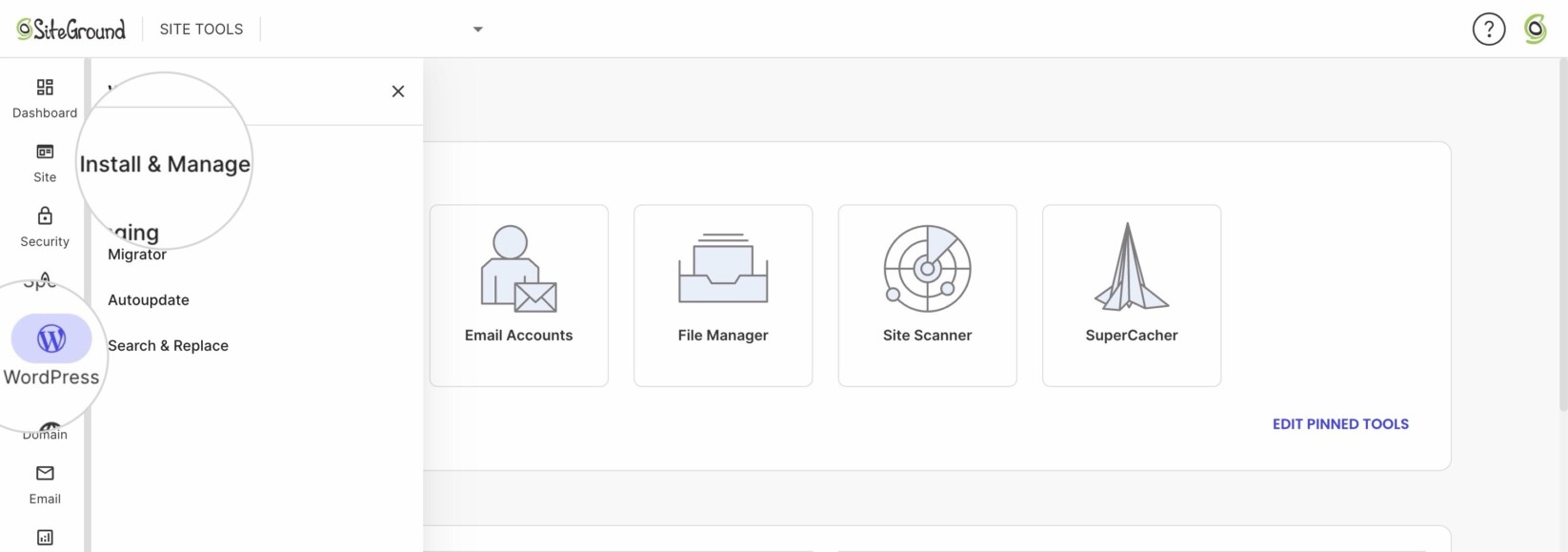
- If you wish to install a WordPress or WordPress+Woocommerce website, go to Site Tools > WordPress > Install and Manage.
- In Install New WordPress select the type of WordPress.
- Under Domain, select the subdomain, fill in the rest of the required details, and complete the installation.
- You can also install a website from Site Tools > Devs > App Installer.
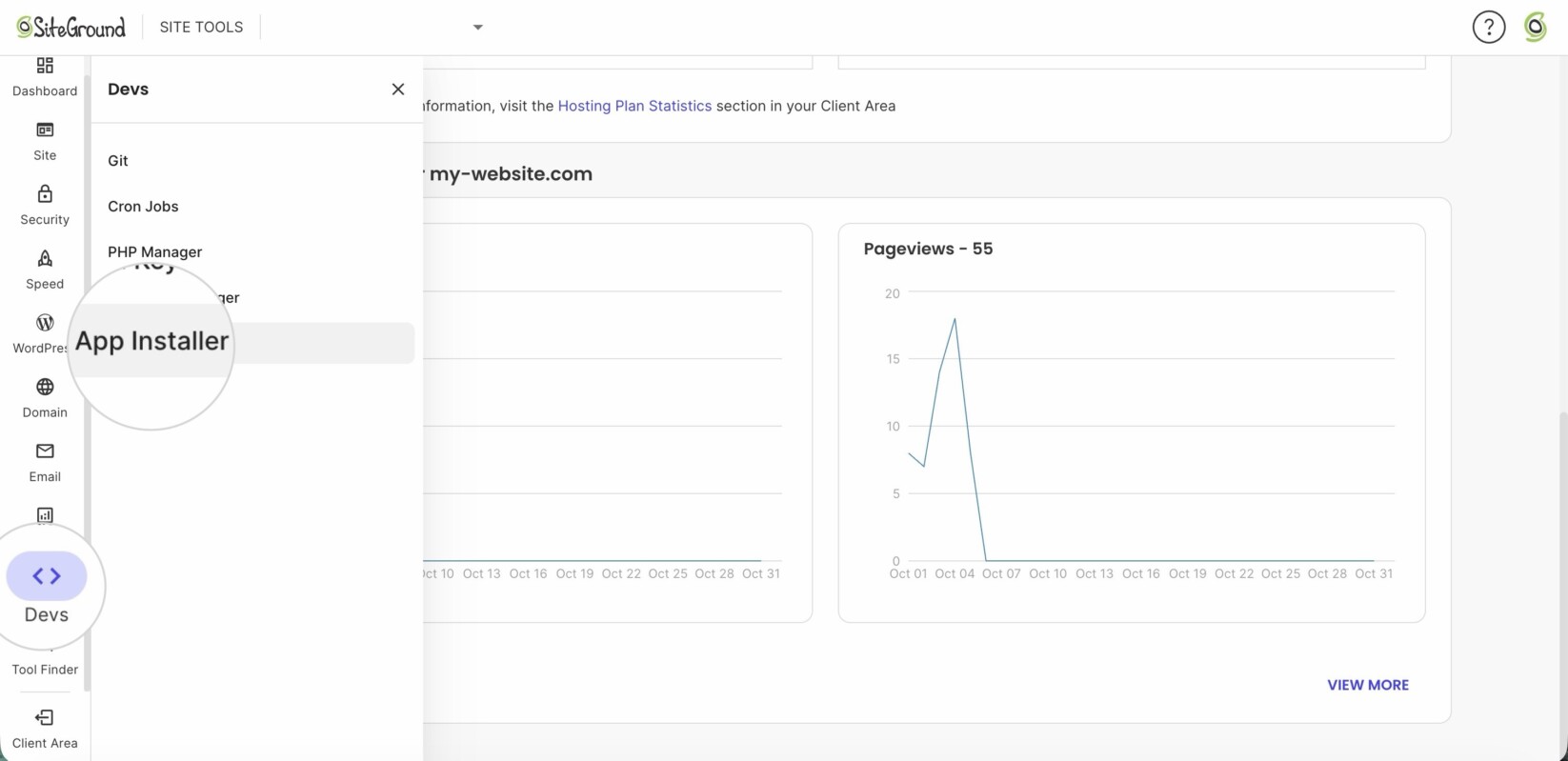
- You can install a WordPress website from here as well, or select a different application like Joomla, Drupal, OpenCart, etc.