How to use a segment as a recipient list for a campaign
Once you’ve created a segment in SiteGround Email Marketing, you can send a campaign straight to it. Your email reaches only the contacts who match the segment’s filters, so you don’t have to build a separate group for every audience you want to target.
There are two ways to use a given segment:
- Select it while scheduling a campaign
- Or by starting from the Segments page where you can choose the audience right away.
Here are the steps.
Using a segment as a recipient list in a email campaign
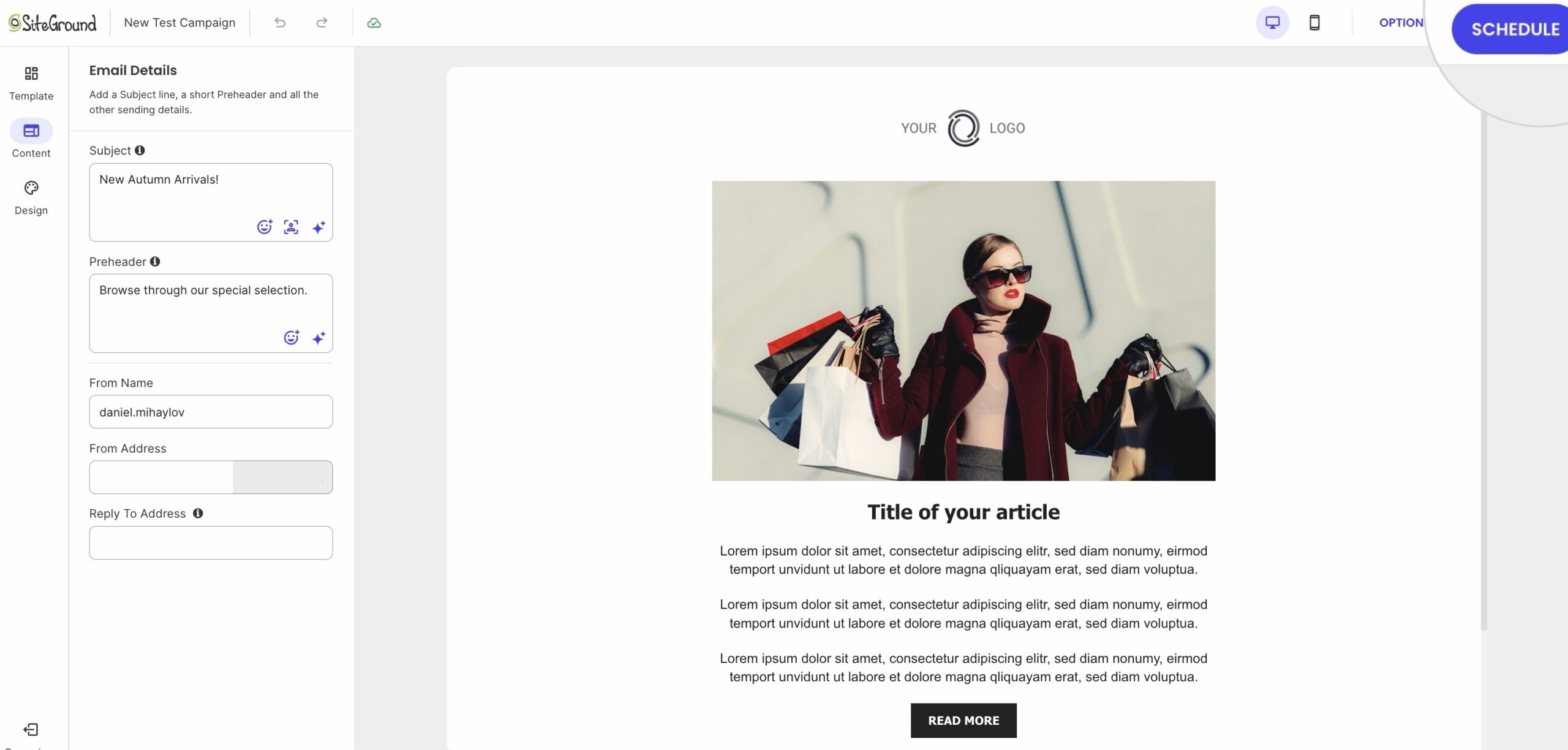
- Go to your Email Marketing and create a new campaign or open a draft.
- When ready, click Schedule.
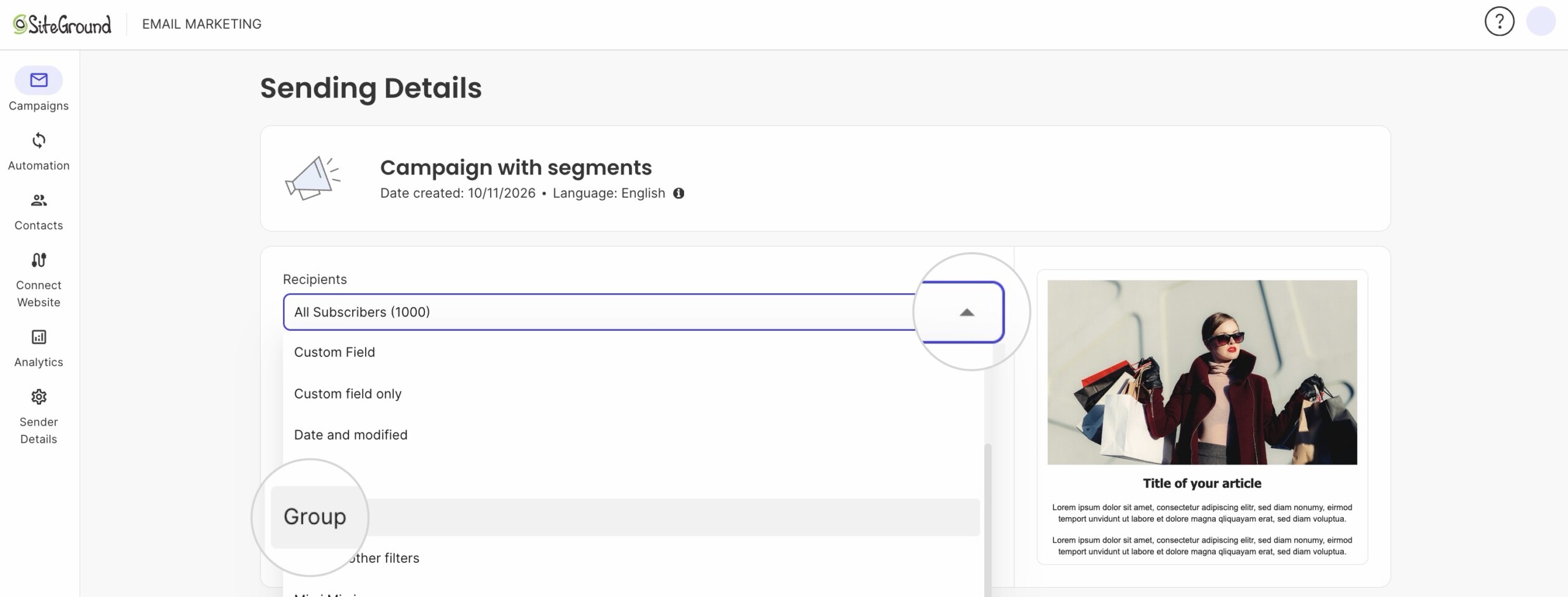
- From the dropdown on the Sending Details page, choose the segment you want to use as a recipient list.
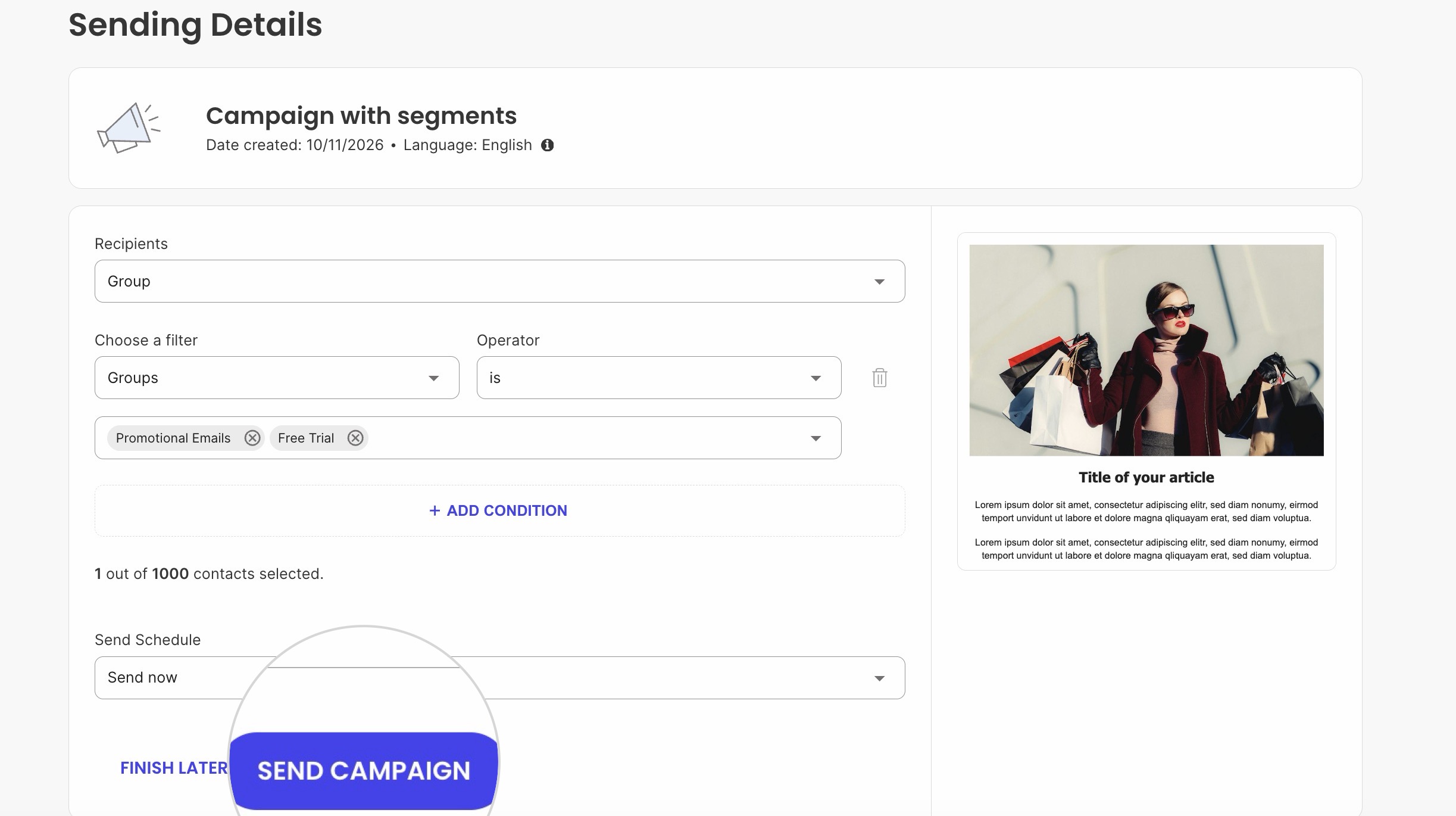
- Once selected, it will automatically present the segment details with the previously enabled filters.
- Choose when to send the email campaign (Send Now or Send Later).
- Click Send Campaign.
Selecting a segment from the Segments page as a recipient list
Alternatively, you can use a segment as a recipient list right from the Segments page.
- Go to Email Marketing and click on the Manage button of the selected service.
- Navigate to Contacts > Segments.
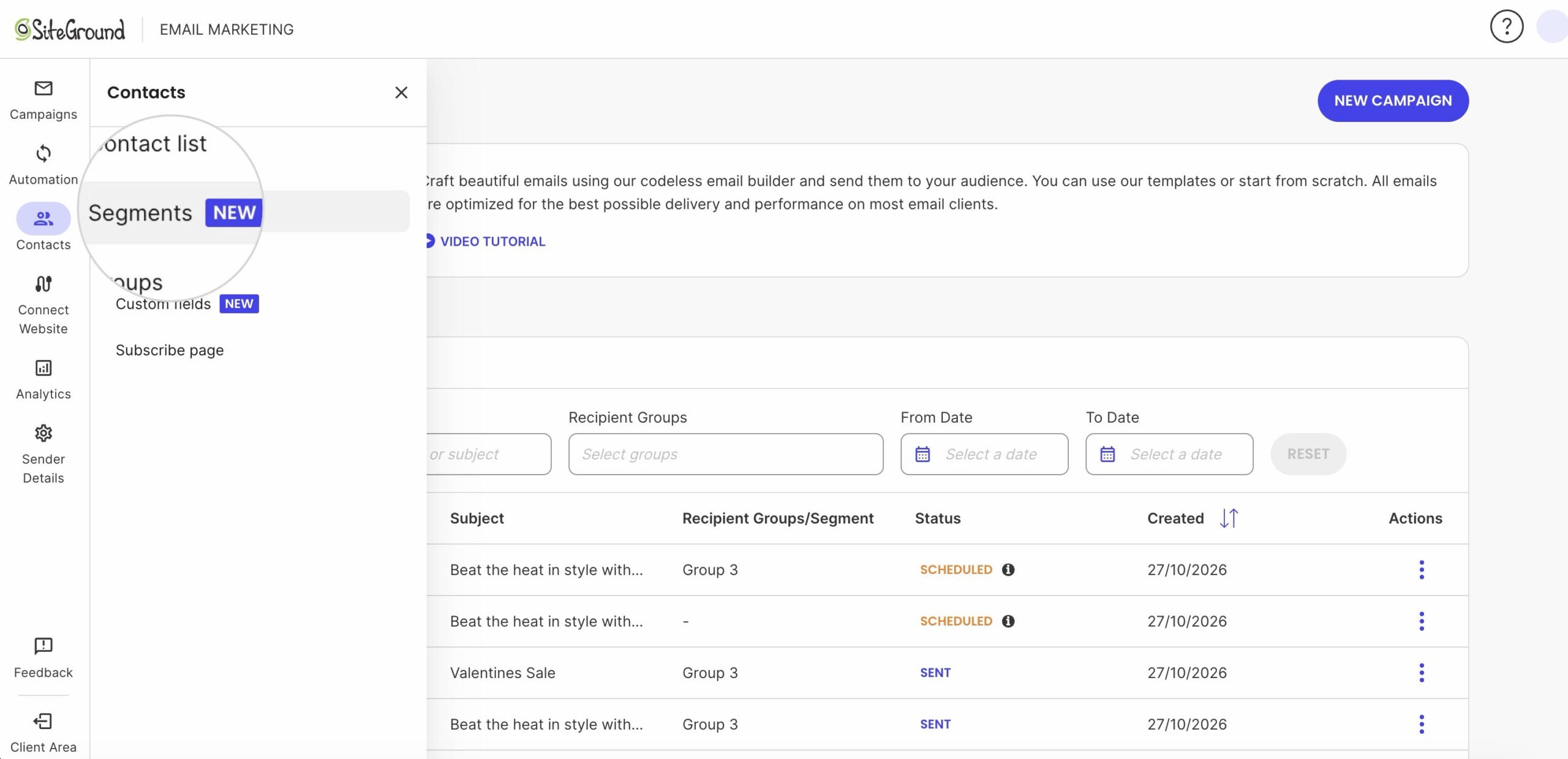
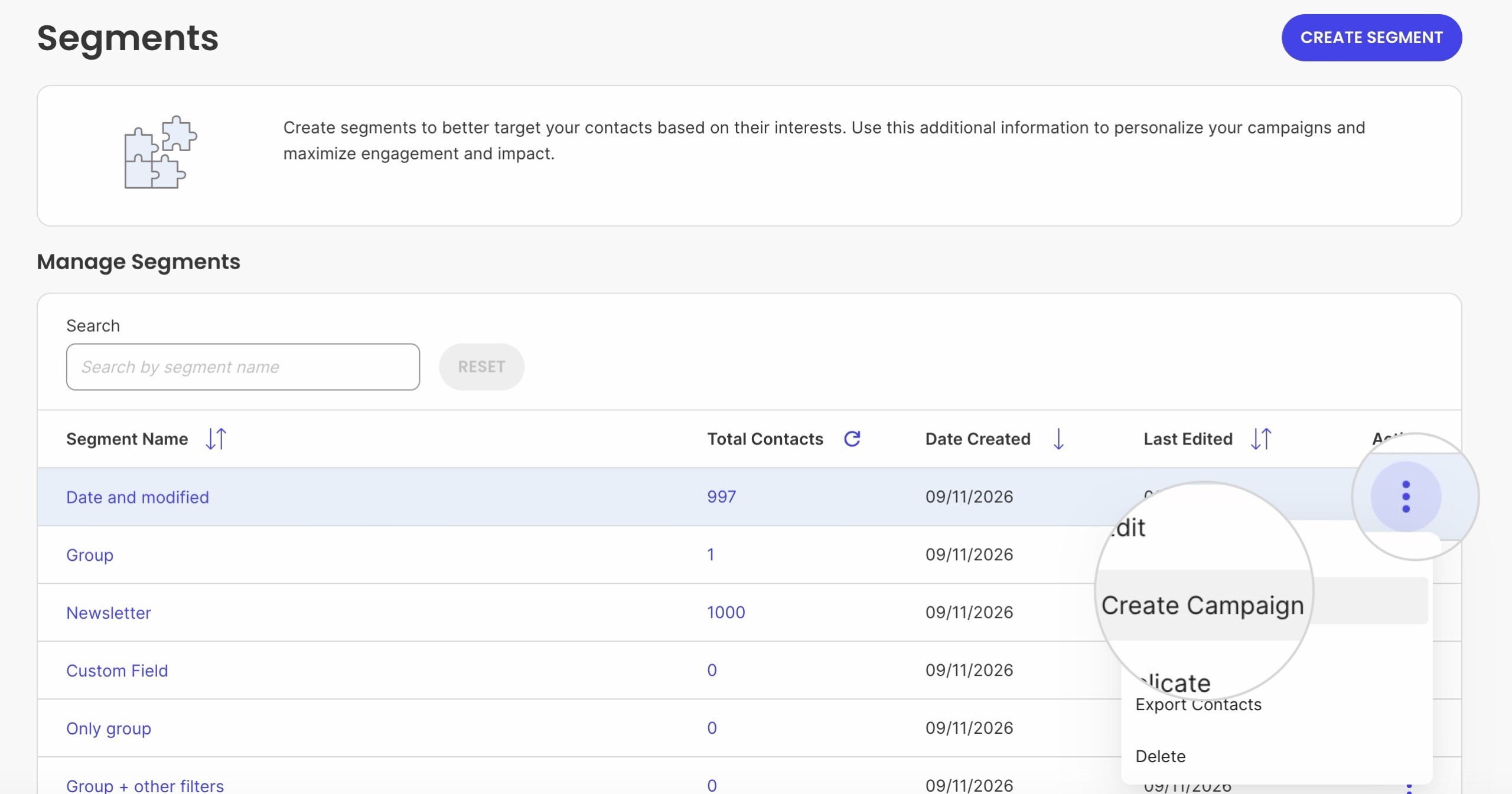
- Find the segment you want to send a campaign to.
- Click the three-dot menu next to the segment.
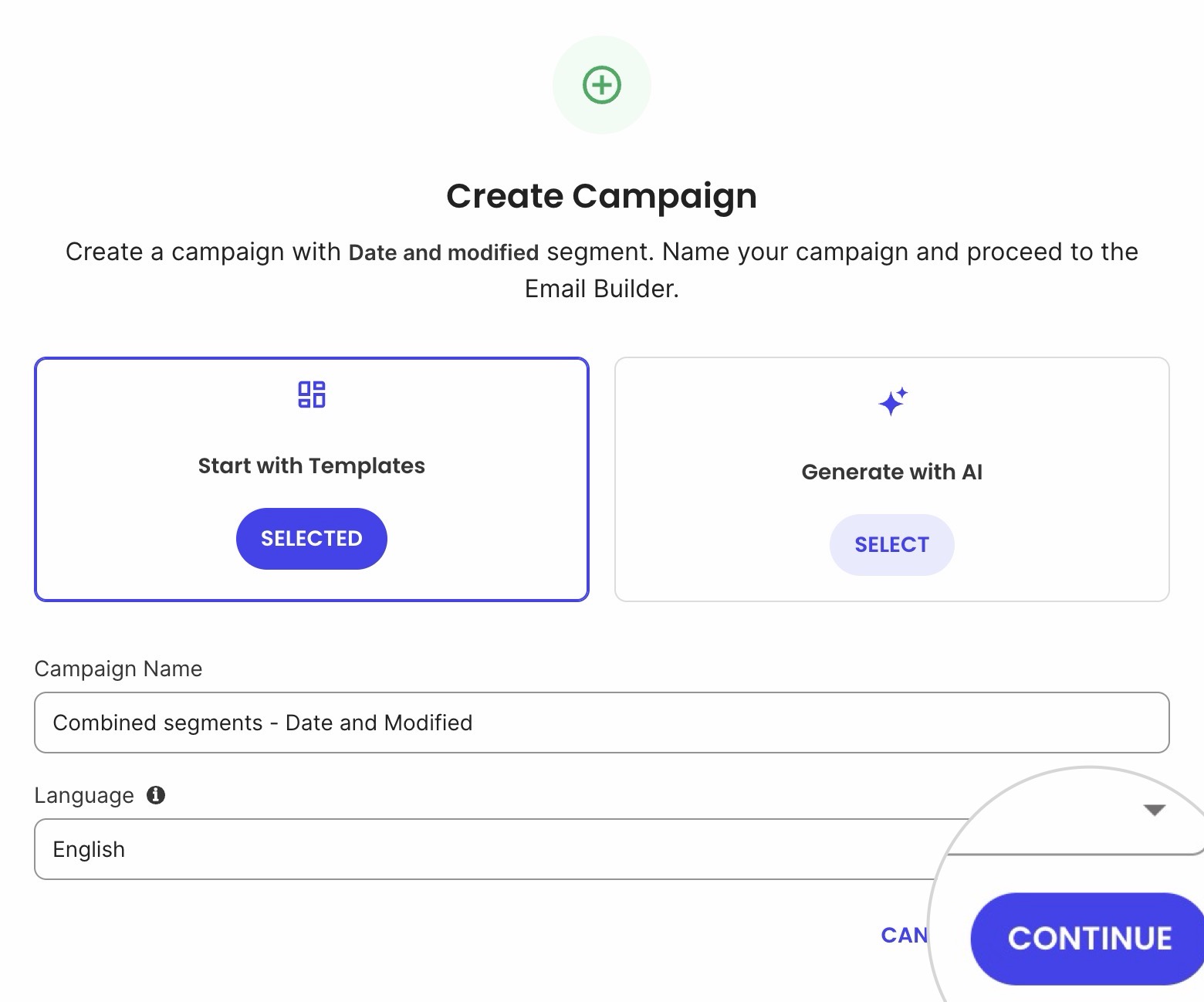
- Select Create Campaign.
- In the new pop-over, simply follow the same steps as when creating a new campaign.